
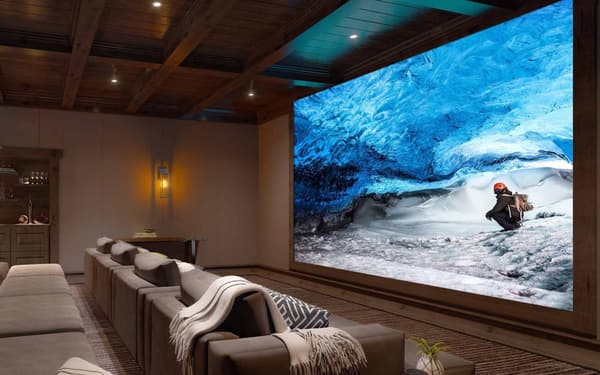
You finally unbox that massive pile of premium audio gear, staring down a tangled web of copper wire and calibration microphones. The excitement of movie night quickly fades into frustration as you try to figure out which HDMI port handles high-resolution audio or why the rear left channel sounds completely muted. Planning an immersive viewing experience requires far more than just plugging a few boxes into a power strip. A proper Sony home theater system demands precise spatial mapping and careful room preparation before the first wire ever gets stripped.
Our audio integration professionals have already navigated these exact setup hurdles. At Smart Automation Solutions, we take the guesswork out of complex audio configurations. This guide will walk you through spatial planning, advanced receiver calibration, and proper cable management so your cinematic space performs perfectly from day one.
Upgrade Your Audio Experience Today
Connect with our design team for expert guidance on your custom surround sound configuration.
Explore Sony home theater system optionsKey Takeaways
- Dedicated Power Planning: High-end audio components require dedicated electrical circuits and robust surge protection for safe, uninterrupted performance.
- Precision Speaker Placement: Maximizing spatial sound mapping relies heavily on exact ear-level measurements and precise angles for overhead channels.
- Advanced Receiver Calibration: Proper microphone placement during the auto-calibration sequence is the secret to studio-quality room tuning.
Assessing Your Space and Power Requirements
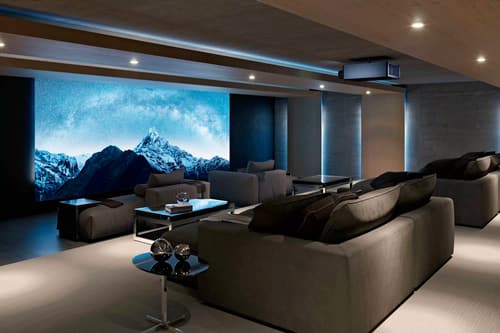
Room dimensions and acoustic properties play a massive role in how your final setup sounds. Hardwood floors and bare drywall create echo chambers that muddy dialogue. You must evaluate the room for acoustic treatments and map out furniture placement before drilling a single hole. Our experts recommend starting with an empty room diagram to visualize speaker paths and listening zones.
Electrical Infrastructure Needs
A premium Sony home theater system draws significant wattage during intense action sequences. Plugging a high-current receiver and an active subwoofer into a standard shared outlet is a recipe for tripped breakers. You need a dedicated 15-amp or 20-amp electrical circuit for the media wall. Add advanced surge protection or power conditioning to protect these sensitive internal components.
Network Reliability
Modern audio requires serious data bandwidth for high-resolution streaming. While Wi-Fi is convenient, hardwired Ethernet provides the stability needed for uncompressed media playback. Run Cat6 wiring to your equipment rack to prevent annoying buffering during movie night.
Essential Cables and Connections for Sony Receivers
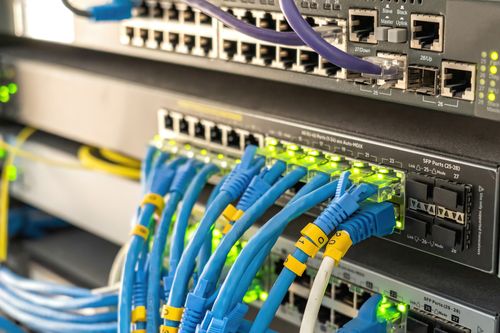
Connecting your media sources requires specific cable standards to handle modern high-bandwidth signals. You want to route everything through the central receiver and use the HDMI eARC port to pass high-resolution audio directly from the television. This configuration allows you to take advantage of Bravia Sync, giving you smooth device operation from a single remote control.
Many homeowners make the mistake of reusing old HDMI cables from their previous setup. Standard cables cannot handle 4K at 120Hz or pass through an 8K signal without massive data degradation. You must use certified Ultra High Speed HDMI cables for every connection in the chain. This small investment prevents video dropouts and audio sync issues down the road.
Comparing Top Sony Home Theater Configurations
Choosing the right layout depends entirely on your room limitations and performance goals. We often recommend comparing the streamlined wireless spatial setups against traditional wired receivers.
| Feature | Premium Wireless Spatial System | Traditional Hardwired A/V Receiver |
|---|---|---|
| Installation Complexity | Quick setup with minimal wall fishing required. | Labor-intensive custom wire routing and termination. |
| Spatial Performance | Uses phantom speakers for an immersive surround effect. | Delivers precise, localized audio via physical drivers. |
| Wiring Requirements | Only needs a local power outlet for each speaker module. | Requires dedicated in-wall speaker wire runs to a central hub. |
| Smart Control Ready | Basic app integration and television syncing. | Full integration with advanced home automation platforms. |
| Investment Level | Mid-range price point for a complete audio package. | Higher overall cost when factoring in discrete speakers and wire. |
Strategic Speaker Placement for 360 Spatial Sound
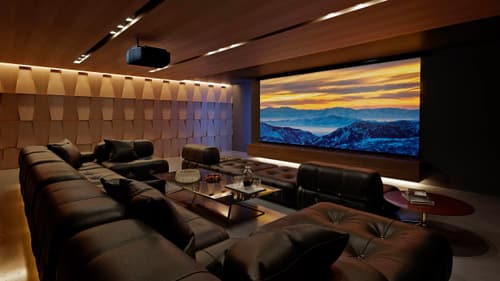
Achieving a true cinematic experience requires absolute precision when placing your physical audio channels. For a standard 5.1.2 or 7.1.4 layout, the front left, right, and center channels must sit exactly at ear level when you are seated. The side and rear surround speakers should angle directly toward the primary listening position.
When utilizing Sony 360 Spatial Sound Mapping technology, the system creates phantom speakers around the room to fill in audio gaps. To get this right, you need to follow a few specific rules:
- Maintain clear sightlines: Never block a speaker with dense furniture or heavy decor.
- Measure ceiling height: Up-firing Atmos modules require a flat, reflective ceiling to bounce audio accurately down to the listener.
- Calculate bounce angles: Position the upward-firing drivers so the sound waves hit the ceiling halfway between the speaker and the seating area.
Calibrating Your Sony Receiver for Studio Quality
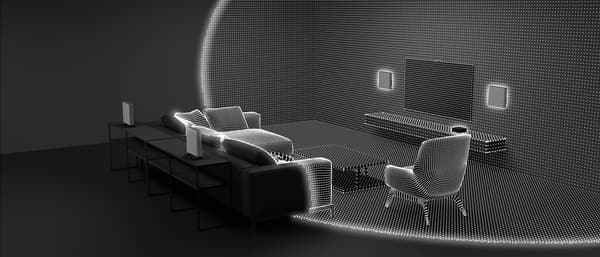
Running the built-in auto calibration sequence is the most important step for achieving studio-quality playback. You must place the supplied optimizer microphone on a tripod directly at ear height in your primary seating position. The room needs to be completely silent, so turn off the HVAC system and the refrigerator before starting the test tones.
Our technicians always verify the subwoofer distance measurement manually, as auto-calibration software frequently miscalculates the acoustic delay of low frequencies by a few feet. Once the automated process finishes, you can manually adjust the crossover frequencies. Try boosting the center channel output by a few decibels to make movie dialogue punch through heavy background action.
The Pros and Cons of a Sony Home Theater System
Investing in a dedicated receiver and discrete speaker layout offers massive advantages over a basic television soundbar, but it does require more planning. Understanding these trade-offs helps you build the right media room for your daily lifestyle.
Pros
Immersive Audio Mapping
Advanced spatial mapping technology creates a three-dimensional dome of sound that pulls you directly into the movie.
High-Fidelity Power
Dedicated receivers provide significantly more clean wattage per channel than all-in-one audio bars.
Future-Proof Upgradability
You can easily swap out individual speakers or upgrade the central processing unit as new audio formats emerge.
Advanced Video Switching
Centralized HDMI routing simplifies your equipment rack and minimizes the wire clutter behind the television.
Cons
Installation Labor
Running discrete copper wire through finished walls requires invasive labor and specialized drywall repair.
Space Requirements
Floor-standing tower speakers and bulky subwoofers demand dedicated floor space in your living area.
Integrating Sony Systems with Smart Home Automation
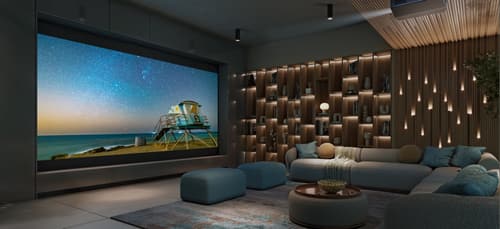
A modern A/V receiver acts as the central brain for your entire media room. These components integrate flawlessly with third-party automation systems like Control4, Savant, or Crestron. Connecting your audio equipment to a broader smart home network gives you ultimate control over the environment.
Instead of juggling multiple remotes, you can program a single mode button on your keypad. This single command will dim the overhead lighting, lower the motorized shades, and power on the Sony home theater system simultaneously. This level of consolidated control is exactly what our design team builds for clients seeking a unified living space.
Ready to Build Your Ultimate Sony Home Theater System?
Proper spatial planning, precise speaker positioning, and expert calibration are the keys to achieving studio-quality performance. Getting the infrastructure right from the start prevents endless frustration and lackluster sound. Contact Smart Automation Solutions today to schedule a consultation with our local design experts. We offer professional installation, personalized showroom guidance, and custom integration to make your dream entertainment space a reality.
Frequently Asked Questions About the Sony Home Theater System
You connect the system by running an Ultra High Speed HDMI cable from the eARC output on the receiver directly to the eARC input on your television. This dedicated pipeline allows the television to send uncompressed, high-resolution audio formats straight back to your surround sound setup.
Sony 360 Spatial Sound Mapping is a proprietary audio technology that uses calibration data to generate virtual phantom speakers throughout your room. This processing creates a wider, more immersive dome of sound that goes beyond the physical limitations of your actual speaker boxes.
Yes, specific receiver models support the integration of compatible wireless rear surround modules. You simply plug the rear modules into a local wall outlet for power, and they connect to the main receiver via a dedicated radio frequency.
You can eliminate audio dropouts by moving your wireless router away from the receiver to reduce radio frequency interference. Hardwiring your primary media streaming devices via Ethernet also stabilizes the local network traffic.
You must use certified Ultra High Speed HDMI cables to reliably pass 4K video and lossless Dolby Atmos audio. Standard legacy cables lack the bandwidth required for these dense data streams and will cause flickering or muted channels.
The Sony Auto Calibration microphone measures acoustic test tones to calculate speaker distance, room equalization, and audio levels. The internal processor uses this precise acoustic data to tune the receiver output specifically for your room's unique dimensions.
Why Trust Smart Home Solutions?
At Smart Automation Solutions, trust is built on a decade of proven expertise in transforming Gaithersburg-area homes into intelligent, efficient, and luxurious living spaces. Whether you're seeking precision lighting design that sets the perfect mood, seamless home automation for effortless control, elegant motorized shading for privacy and energy savings, immersive home AV and dedicated theater/media rooms, vibrant outdoor entertainment areas, rock-solid home networking, or layered home security systems, our Crestron- and Control4-certified team delivers fully customized, future-proof solutions backed by meticulous installation and white-glove service. We partner only with industry-leading brands, prioritize clear communication from consultation through post-install support, and stand behind every project with warranties and ongoing maintenance, ensuring your investment performs flawlessly for years. Homeowners across the D.C. metro trust us because we don’t just install technology; we craft personalized lifestyles. Contact us today at 240-242-7272 and discover why your smart home journey starts here.